You have decided that 2027 will be the year you finally get organized. You type "Notion life planner 2027" into Google, and within seconds you have a hundred options and twice as many questions. Do I need to pay for Notion? Will it work on my phone? What happens when 2027 is over?
This guide answers the questions people ask most before buying a Notion life planner, in plain language and without jargon. Whether you choose the GoPlanner Ultimate Life Planner 2027 or another template, these answers will help you make a confident decision.
What is a Notion life planner?
Notion is a free app for notes, tasks and simple databases. It works on a computer, in a web browser, on a tablet and on a phone. A Notion life planner is a ready-made workspace built inside Notion: the pages, trackers and dashboards are already set up and connected for you, so you do not have to build anything from scratch.
Instead of using one app for your budget, another for your workouts, a notebook for your goals and sticky notes for everything else, a life planner brings all of it into one place. You open one dashboard and see your whole life at a glance.
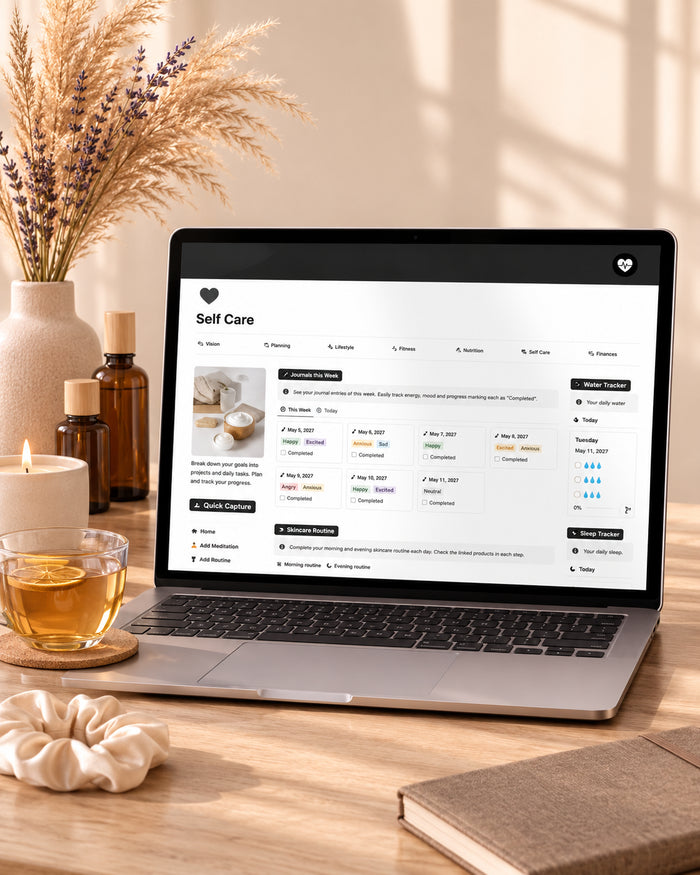
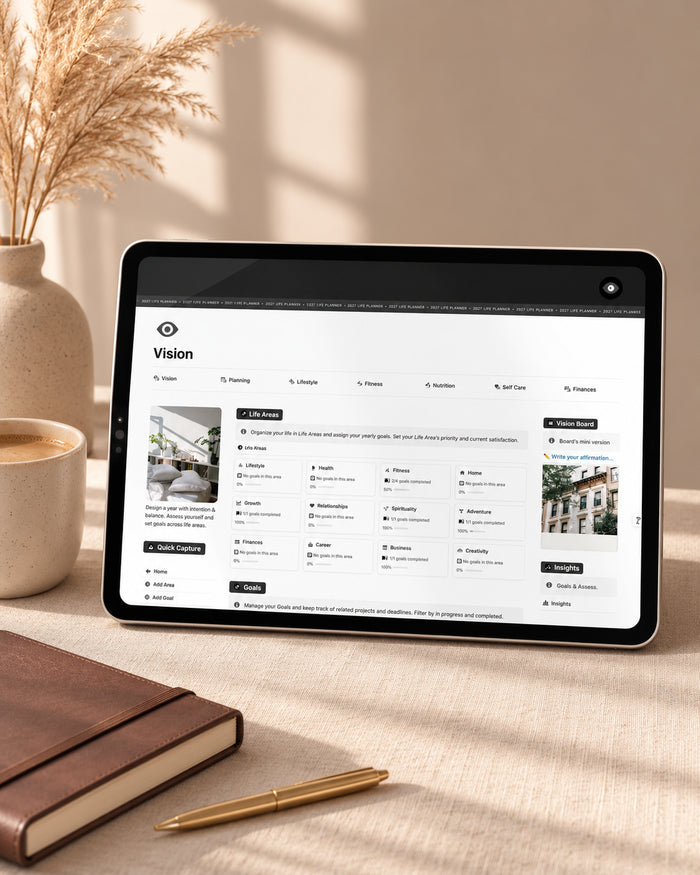
The GoPlanner 2027 life planner is organized into connected hubs, each one covering a different area of your life:
- Vision: life areas, goals, a vision board and a life plan.
- Finances: budget, subscriptions, savings goals and bills.
- Wellness: journal, sleep, meditation and self-care routines.
- Fitness: workout program, exercises, body measurements and challenges.
- Nutrition: meal planning, a recipe book, a shopping list and supplements.
- Lifestyle: travel, books, films and series, and a wish list.
Because the hubs are linked, what you enter in one place shows up where it matters. Your goals connect to your weekly plan, and your spending connects to your savings goals.
Do I need to pay for Notion to use a life planner?
This is the most common question, and the short answer is no. Notion offers a free personal plan, and a free account is all you need to get started with GoPlanner. You create a free Notion account, open your planner link, duplicate it into your workspace and start planning.
A tip before buying any template: some Notion templates rely on features that are only available on Notion's paid plans, such as certain advanced automations. A good seller tells you clearly whether the template works on the free plan. If the product page does not say, ask before you buy.
Does a Notion life planner work on my phone?
Yes. Notion has free apps for iPhone and Android, so your planner goes everywhere you go. You can tick off a habit on the bus, check your shopping list in the supermarket or add an expense right after you pay.
That said, most people find it easiest to set things up and do their weekly review on a computer or tablet, where the larger screen shows the full dashboards. A simple routine that works well: plan on your computer, update on your phone.
How do I receive my planner after buying?
A Notion planner is a digital product, so nothing is shipped and there is no waiting. With GoPlanner, the process takes only a few minutes:
- Order in a few clicks with secure payment.
- Receive your link immediately on the order confirmation page and by email, together with simple instructions.
- Duplicate the planner into your own Notion workspace. It takes less than two minutes.
- Watch a short explainer video that shows you how everything works.
- Start planning the same day.
If the email does not arrive within a few minutes, check your spam or promotions folder. If you still cannot find it, contact support with your order number and you will get your link quickly.
Is a Notion life planner hard to use for beginners?
Many people worry that Notion is complicated. Building a system from zero in Notion can take hours, but using a ready-made planner is a different experience. Everything is already designed and connected, so you only need to click, type and tick.
GoPlanner was built with beginners in mind:
- Clear navigation between the hubs, so you always know where you are.
- One-click quick entry for tasks, expenses and habits.
- Statistics that update on their own as you use the planner.
- No setup and no technical skills required.
If you can use WhatsApp, you can use a Notion life planner. And if you ever get stuck, you can email the GoPlanner team for help.
Why pay for a planner when free Notion templates exist?
Free templates are a great way to discover Notion, and some of them are excellent. The difference is usually scope and support. Most free templates cover a single topic, such as a to-do list or a habit tracker. To organize your whole life, you end up juggling five or six templates that do not talk to each other.
A complete paid planner gives you:
- One connected system instead of scattered pages.
- A polished design that you actually enjoy opening every day.
- Real support by email when you have a question.
- A secure purchase and a refund guarantee.
Think about the time you would spend searching, testing and connecting free templates. A ready-made system gives that time back to you.
Is it a one-time payment or a subscription?
GoPlanner is a one-time payment. You pay once and the planner is yours to keep, with no monthly fees and no renewal. Because it lives in your own Notion workspace, you keep using it for as long as you like.
Before buying any template, check this point carefully. Some planners are sold as part of a monthly membership, and you lose access when you stop paying.
What if it is not right for me? Is there a refund?
Buying a digital product online can feel risky, especially when some sellers state "no refunds". GoPlanner offers a 7-day satisfaction guarantee. If something does not work for you, email the team within 7 days of your purchase. They will first try to help you solve the problem, and if they cannot find a solution that suits you, you get a full refund to your original payment method.
You can read the full details in the refund policy.
Can I customize the planner to match my style?
Yes. Once the planner is duplicated into your workspace, it is your copy. You can rename pages, change icons and covers, add or remove categories, and adapt the trackers to your routines. Want a hub for your studies or your side business? Add a page. Do not need meal planning? Simply hide it.
A small piece of advice: use the planner as it is for two or three weeks before making big changes. You will quickly see which parts you use every day and which ones you can simplify.
Is the planner only for 2027? What happens in 2028?
The "2027" in the name reflects the year the planner is designed for, with dates and planning views ready for the new year. It does not mean the planner stops working on December 31. Your workspace, your data and your trackers stay in your Notion account. When 2028 arrives, you can keep the same system and continue planning, so the habits you build this year carry into the next.
What language is the GoPlanner life planner in?
Most Notion life planners on the market are only available in English. The GoPlanner planner uses French titles and labels, which makes it a natural choice for French speakers who want a planner that feels like it was made for them. Since you can rename anything in Notion, you can also change any label to the words you prefer.
What exactly is included?
Before you buy, you want to know what you get. Here is a quick overview of the GoPlanner 2027 life planner:
- A central dashboard with easy navigation between the hubs.
- Connected hubs for vision and goals, finances, wellness, fitness, nutrition and lifestyle.
- Goal tracking, weekly planning and habit tracking.
- Quick entry buttons and automatic statistics.
- Reminders to keep you on track.
- Instant delivery, a short explainer video and email support.
You can see screenshots of each hub on the product page.
Can I share the planner with my partner or family?
Your purchase gives you a personal license, which means the planner is for your own use. Sharing or forwarding the template link to other people is not allowed. If you want to offer it to someone close to you, GoPlanner has bundle offers in the cart: the Duo includes one planner for you and one for a friend, and the Trio adds a third one for your sister or another loved one, at a lower price than buying them separately. Each person then duplicates the planner into their own Notion account.
Is there a tutorial or video walkthrough?
Yes. Every GoPlanner order comes with simple instructions and a short explainer video. It shows you how to duplicate the planner, how to move between the hubs and how to use the quick entry buttons. Most people are up and running in less than five minutes. If anything is unclear after watching it, email support for help.
Is my personal data safe?
This is an important question, especially for a planner that holds your finances and personal goals. When you duplicate the GoPlanner template, it becomes a copy inside your own Notion account. The GoPlanner team does not have access to your workspace and cannot see what you write in it. Your data is stored by Notion, under your account and Notion's own security and privacy policies.
To learn how GoPlanner handles the information collected when you place an order, read the privacy policy.
Will a life planner really change anything?
A planner is a tool, not a magic wand. The results come from using it a few minutes every day. What a good system does is make that easy. When your goals, budget, routines and plans live in one place, you stop forgetting, stop starting over every Monday and start seeing real progress. The weekly statistics show you how far you have come, which keeps you motivated.
Start small. Choose two or three goals, plan one week at a time and do a ten-minute review every Sunday. Consistency beats perfection.
Ready to plan your best year yet?
A Notion life planner brings your whole life into one calm, organized space: your vision, your money, your health, your meals and the moments that matter. You only need a free Notion account, a few minutes to set it up and the decision to start.
Discover the GoPlanner Ultimate Life Planner 2027: a one-time payment, instant access and a 7-day satisfaction guarantee. Your organized 2027 starts with one click.